In Arabic and English · for clinics in Egypt and the Arab world
Dental clinic software that runs the whole clinic
Patient files, the appointment book, dental charts, payments, stock, labs and staff pay in one system. It works in Arabic and English, on the reception computer and on your phone.
For clinic staff. Your clinic's administrator gives you access.
Built for the Egyptian and Arab-world clinic
- Arabic and EnglishFull right-to-left screens, and each person picks their own language.
- A private database per clinicYour clinic's data is never mixed with another clinic's.
- Any screen, installableRuns in the browser on a PC, tablet or phone, and installs as an app.
- WhatsApp and e-mail remindersReminder messages ready to send in Arabic or English.
- Egyptian medicine library9,300 products from the Egyptian drug database, ready for prescriptions.
- Local payment methodsInstaPay, Vodafone Cash and Fawry built in, plus your own.
What's inside
One system for every corner of the clinic
From the first booking to the month-end report, these are the parts of Dentorithm that clinics use every day.
- Appointment calendar
- Walk-ins and waiting room
- Patient files
- Medical history and alerts
- Dental chart
- Treatment plans
- Endodontic records
- Orthodontic cases
- Images and X-rays
- Quotations
- Billing and refunds
- Statements and receipts
- Insurance claims
- Inventory and barcodes
- Purchases and suppliers
- Dental labs
- Expenses
- Finance and reports
- Staff pay
- Prescriptions
- Consents and documents
- Team chat
- Help and support
- Online booking
- Patient links
- Reminders
- Follow-ups and recalls
- Activity log
- Keyboard shortcuts
- Multiple branches
Dental chart
Chart every tooth, plan every treatment
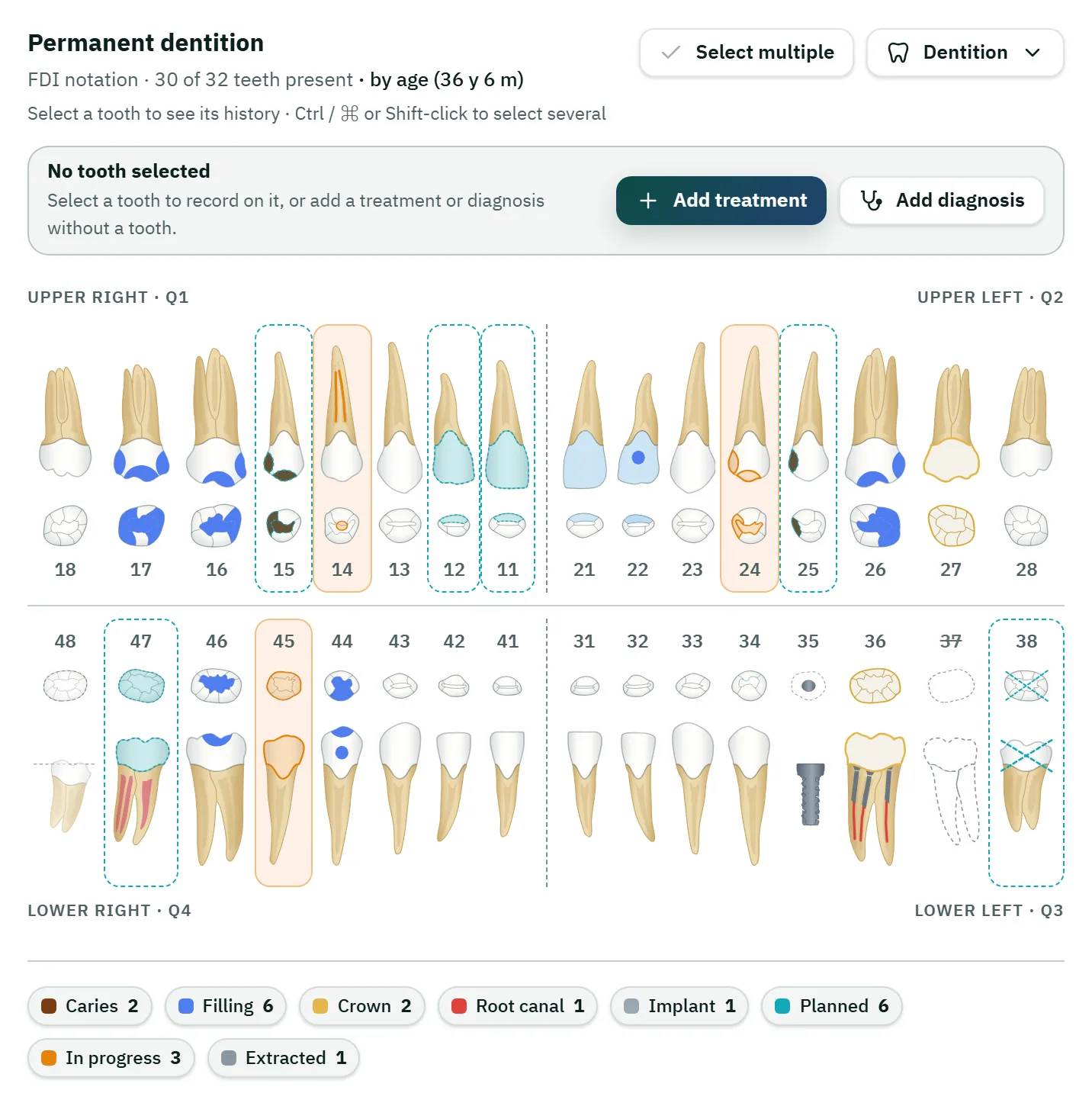
Adult, child or mixed teeth, drawn one by one. Record what you find, plan what you will do, and follow each treatment from planned to completed.
- Adult, child and mixed teeth
- Surfaces and cusps
- FDI, Universal or Palmer numbers
- Planned to completed
- Treatment sessions
- Materials taken from stock
- Images on each tooth
- Full history per tooth
The platform
Everything the team needs, in one place
Pick an area to see what it does.
Run the day from one calendar
Reception, dentists and the waiting room look at the same live day. Bookings, arrivals and walk-ins show up as they happen.
- Day, week and month views, by dentist or by room
- Drag to move or swap appointments; drag an edge to change the length
- Room, dentist and patient clashes are flagged while you book
- Walk-ins: seat now, take the first gap, or join the queue
- Days off for the clinic, a dentist or a room, for a day or just some hours
- A live waiting room: who has arrived and who is in the chair
A complete file for every patient
Everything about a patient sits in one file, from the first visit to the last payment, and is found in seconds by name or phone.
- Arabic-aware search by name or phone, also from the header
- Medical history with alerts and dental considerations from a medical reference
- Dental chart, with each person's own tooth numbering
- Photos and X-rays tied to teeth, with a viewer to zoom, compare and measure
- Consents signed on screen and kept in the file
- New patients can register themselves from a link or QR code
Roles, pay and conversation, without the spreadsheets
Give each person the access they need, work out pay from the treatments done, and let the team talk inside the system.
- Permissions per person: whatever someone may not use is hidden from them
- Staff profiles in Arabic and English, with salaries and advances
- Dentists' percentages worked out from treatments done, with lab cost handled your way
- My pay: each person sees only what the clinic owes them
- Team chat with files, voice messages and patient cards
- Help tickets to the Dentorithm team, with screenshots
Money that always adds up
Every charge, payment and refund is written to the patient's account, and corrections are added rather than overwritten, so any figure can be traced.
- One account per patient, with a ledger that is never edited or deleted
- Deposits, discounts, refunds with a reason, credit and family dues
- InstaPay, Vodafone Cash, Fawry and your own payment methods
- Insurance: coverage, pre-approvals, claims and insurer statements
- Supplier bills, stock purchases, lab accounts and expenses
- 33 reports, with printing and CSV export
Account statement · Youssef Samir
On the reception PC, the tablet and your phone
Dentorithm runs in the browser, so there is nothing to install on the clinic's computers, and the same screens work on a phone.
- Screens made for phones, tablets and desktops
- Install it as an app, with notifications even when it is closed
- Arabic or English for each person, with right-to-left screens
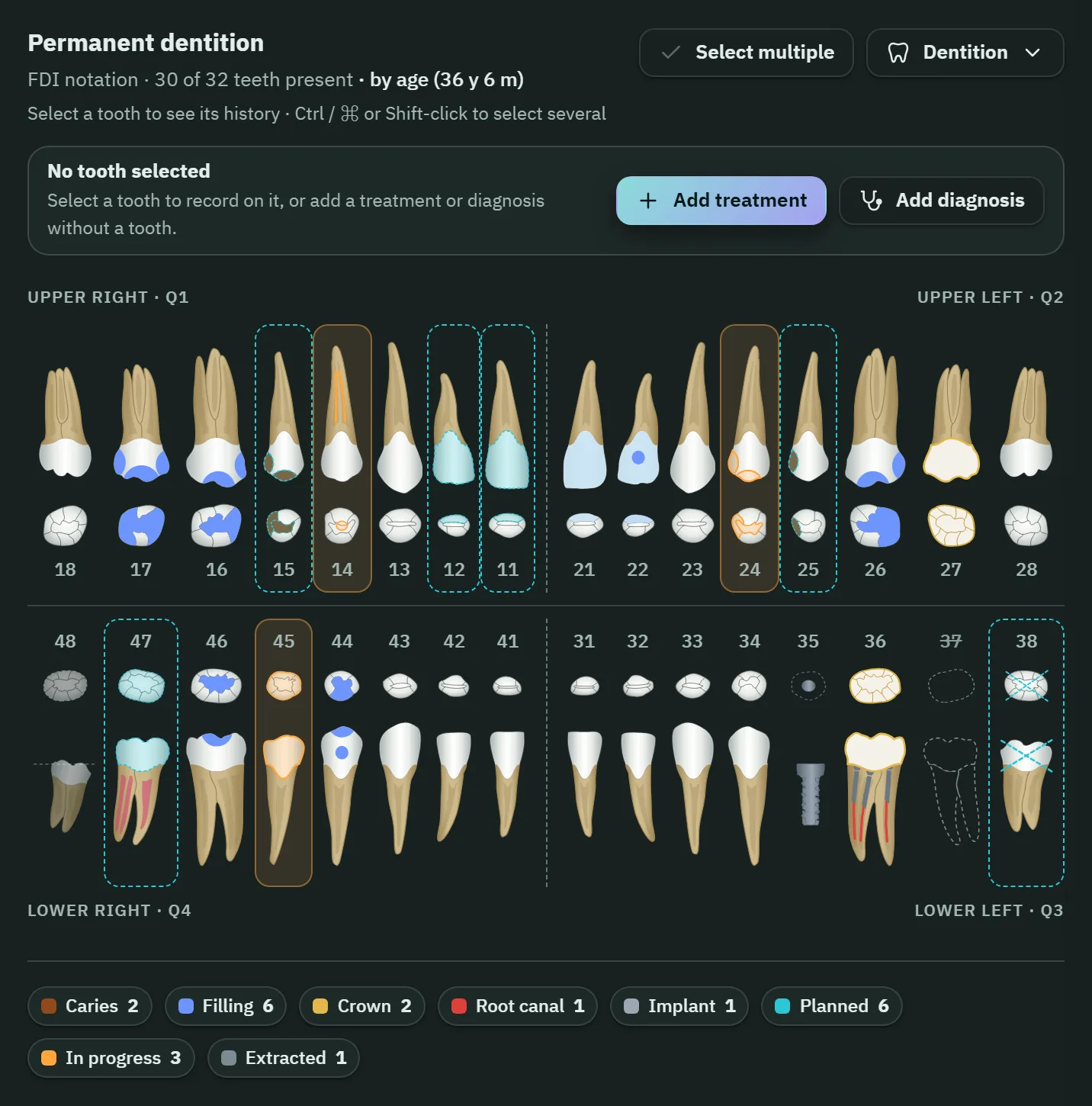
- Light and dark themes, and a text size each person can change
- A private database for each clinic, backed up every night
- Every action recorded in the activity log, by person and time
Why Dentorithm
Why clinics choose Dentorithm
A clinic is one business, so its software should be one system.
One system instead of five tools
Patient files, calendar, billing, stock, labs and staff pay share the same data, so nothing is typed twice and every screen agrees with the others.
Numbers you can check
Money is posted as exact ledger entries, corrections are added rather than overwritten, and the activity log says who did what and when.
Without and with Dentorithm
Without Dentorithm
- Patient details spread over paper folders and chat apps
- Double bookings found when two patients arrive
- Money in notebooks and spreadsheets that never match
- Stock counted when someone remembers
- Lab cases chased by phone call
- Nobody sure who changed what
With Dentorithm
- One file per patient: history, chart, images and documents together
- Room, dentist and patient clashes flagged while you book
- One ledger per patient where corrections are added, never overwritten
- Materials taken from the room's stock as treatments are completed, with expiry and reorder alerts
- Lab cases with dates and costs, linked to the treatment, with overdue alerts
- Every action in the activity log, by person and time
For your patients
Patients book and sign from their own phone
A public booking page, and private links for the things a patient needs to see or sign. No app for the patient to install.
A booking page for your clinic
Patients choose the branch, the visit, a dentist and a free time, then leave a name and phone number. You choose between requests the desk accepts and instant bookings.
Links patients open on their phone
Quotations, consents to sign at home, receipts, statements and prescriptions open from a link. Before anything shows, the patient confirms their birth year or the last digits of their phone.
An app your team can install
Install Dentorithm on a phone or computer and get notifications even when it is closed: online bookings, patient arrivals, team chat and support replies.
Book a visit
Free times
Dentorithm in figures
Facts you can check in the product.
- Languages, with full right-to-left
- 2
- Ready-made reports
- 33
- Egyptian drug products in the medicines library
- 9,300
- Private database for each clinic
- 1
Getting started
How a clinic starts with Dentorithm
Three steps from an empty system to a normal working day.
We set up your clinic
Dentorithm creates your clinic's own database and gives the owner a sign-in. You then add branches, rooms, dentists, price lists and payment methods.
Bring your records
Patients can be imported from an Excel or CSV file. Records from a previous clinic program can be carried over where it is supported, with every patient's balance checked.
Start the day
Staff sign in with the accounts your administrator creates, each with its own permissions. Install the app on the reception computer and your phones, and book the first patient.
FAQ
Questions and answers
What is Dentorithm?
Dentorithm is dental clinic software that runs in the cloud. It keeps your patients, appointments, dental charts, payments, stock and staff pay in one place.
Does it work in Arabic?
Yes. The whole system is in Arabic and English, with right-to-left screens for Arabic. Each member of staff chooses their own language, and patient-facing pages and messages come in both.
Do I need to install anything?
No. Dentorithm opens in the web browser on the reception computer, a tablet or a phone. You can also install it as an app on a phone or computer.
Can patients book online and get reminders?
Yes. Each clinic has an online booking page where patients pick a free time, as a request for the desk to accept or as an instant booking. Reminders are prepared for WhatsApp, where the desk presses send, or sent by e-mail.
How do I sign in?
Clinic staff sign in with the account their clinic's administrator created for them. If you forget your password, the sign-in page can e-mail you a link or ask your administrator.
Where is our data kept, and is it backed up?
Your clinic has its own private database, separate from every other clinic's. The databases and uploaded files are backed up every night, and every change in the clinic is recorded in the activity log.
Who can see the money?
Only the people whose role allows it. Permissions are set for each person, and anything someone may not use is hidden from them and left out of what the server sends.
Can we bring our old patient records?
Patients can be imported from Excel or CSV. The records of a previous clinic program can be carried over where it is supported, keeping dates and money history and checking each patient's balance. Ask the Dentorithm team before you start.
Ready to run your clinic on Dentorithm?
Sign in to open your clinic's patients, calendar and accounts.
Sign in to your clinic- Arabic and English, with right-to-left screens
- On a browser, a tablet or a phone, with nothing to install
- A private database for your clinic alone